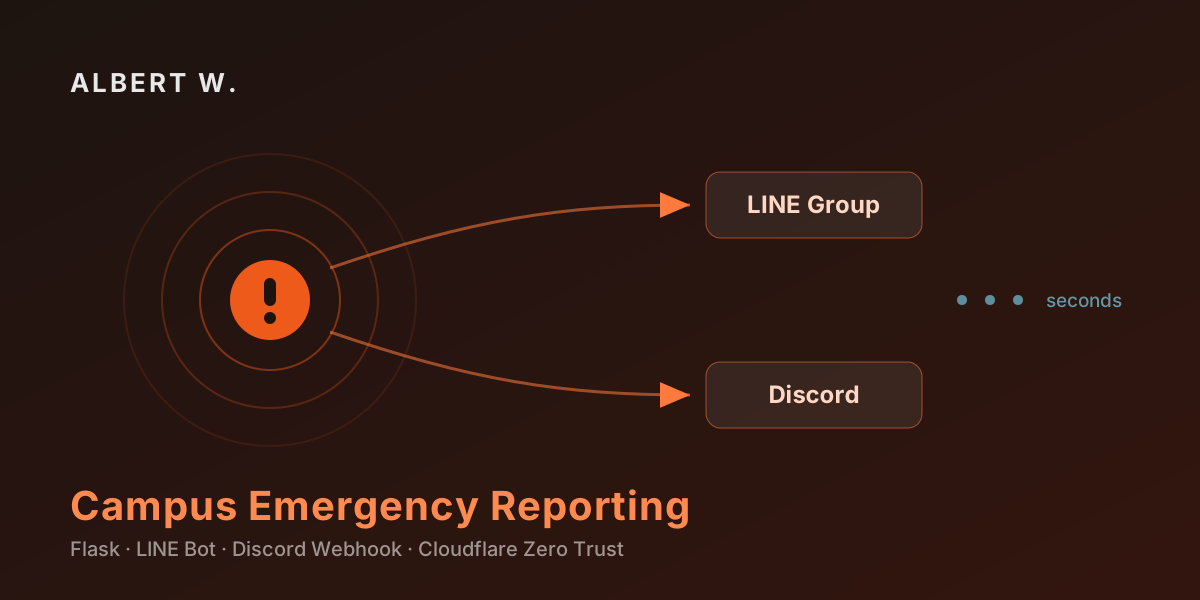
Someone collapses in a lecture hall. The person standing next to them has thirty seconds of useful attention and a phone in a shaking hand. Whatever the system asks of them in that moment has to be answerable without thinking.
That constraint shaped every decision in ems.fcuems.tw, the emergency reporting system I built for the Feng Chia University Health & Safety Rescue Team. It runs in production at www.fcuems.tw, and its entire job is to get a structured incident from a bystander’s phone into the responders’ group chats — fast enough that the team is moving before the reporter has put the phone down.
One question per screen
The reporting flow is deliberately not a form. It’s a sequence of pages, each asking exactly one thing:
| Step | Page | Asks |
|---|---|---|
| 1 | 02_event.html | What kind of incident? (internal medicine, trauma, OHCA…) |
| 2 | 03_location.html | Which building? |
| 3 | 05_room.html | Which room or floor? |
| 4 | 06_content.html | Anything else we should know? |
| 5 | 07_check.html | Confirm before sending |
| 6 | 08_sending.html → 10_sended.html | Broadcasting → sent |
A single long form with six fields is faster to build and much slower to fill in under stress. Splitting it means each screen is a tap on a big button, not a decision about where to look next. The categories are fixed choices rather than free text, which is what makes the downstream message parseable and consistent for the responders reading it.
Only step 4 accepts free text, and it’s optional. Everything else is a button.
Two websites, not one
The most consequential architectural decision in the project has nothing to do with the reporting flow. It’s that the system is two separate Flask applications on two separate ports and two separate domains:
app.pyon port 8000 →www.fcuems.tw— public reporting, LINE Bot callbacks, read-only public APIadmin_app.pyon port 5000 →admin.fcuems.tw— announcements, log management, case records, system tests
The reporting site has to be reachable by anyone, instantly, with no login. That’s the whole point. But it means the reporting site is the most exposed surface in the system — and I did not want any code path from that surface to reach the admin functions.
Keeping them as separate processes makes that guarantee structural rather than conditional. There’s no @admin_required decorator to forget, no session role to check, no route that becomes dangerous after a refactor. The admin endpoints are not merely protected on the public site — they don’t exist there.
The shared logic lives in modules both apps import:
config.py               # env/config loading
logger.py               # structured logging
case_manager.py         # per-case file persistence
message_broadcaster.py  # LINE + Discord fan-out
api_routes.py           # public read-only API
So the split costs almost no duplication. Two thin entry points over a shared core.
Authentication I didn’t write
The admin site needs real authentication, and this is a volunteer-run student team — so the worst possible outcome is a homegrown login I’d have to maintain and patch forever.
Instead, admin.fcuems.tw sits behind Cloudflare Zero Trust, with Microsoft Azure AD (the university’s o365.fcu.edu.tw tenant) as the identity provider. The access policy allows FCU accounts only. A team member goes to the admin URL, gets bounced to the university login they already use daily, and comes back authenticated.
The Flask app itself contains no login code at all. It never sees a password. MFA, SSO, session handling, and access logging are all Cloudflare’s problem, and offboarding is automatic — when someone’s university account is deactivated, their admin access dies with it. No user table to prune.
Both sites reach the internet through a single Cloudflare Tunnel, so the server has no inbound ports open:
tunnel: ems-tunnel
credentials-file: /root/.cloudflared/ems-tunnel.json

ingress:
  - hostname: www.fcuems.tw
    service: http://localhost:8000
  - hostname: admin.fcuems.tw
    service: http://localhost:5000
    originRequest:
      access:
        required: true
        teamName: "your-team-name"
  - service: http_status:404
That access.required: true block is the enforcement point. Local development still works over 127.0.0.1:5000 without authentication, because the tunnel is what’s being bypassed — the protection lives at the edge, not in the app.
Broadcasting to where people already are
Responders don’t install an app for this. They’re already in a LINE group and a Discord server all day, so that’s where the alert goes — message_broadcaster.py fans each confirmed case out to both, via the LINE Bot Messaging API and a Discord webhook.
Two channels for one message is redundancy, not indecision. LINE reaches phones with the notification habits people actually have; Discord gives a persistent, searchable channel history that survives past the moment. If one platform is having a bad day, the other still fires.
The admin console has a one-click test for each, which matters more than it sounds: a broadcast system that silently stopped working is worse than no broadcast system, because everyone still believes it works. Being able to prove both channels are live in five seconds — before a shift, not during an incident — is the difference.
Every case is a file
Each confirmed incident is written to record/case_YYYYMMDD_HHMMSS.txt, containing the case details, the reporter’s IP and geolocation, browser info, the exact message text sent, and the per-platform delivery result. Logs go to logs/flask_app_YYYYMMDD.log, rotated daily.
No database. For a system handling a modest number of cases where every record needs to be independently readable, auditable, and trivially exportable, plain files are the right amount of machinery. A student successor can open one in Notepad and understand it completely. Nobody has to keep MariaDB alive for the next five years so the team can read last semester’s records.
The public read-only API serves the same data for external integration:
curl "https://www.fcuems.tw/api/stats"
curl "https://www.fcuems.tw/api/cases?limit=10"
curl "https://www.fcuems.tw/api/cases/case_20250922_001.txt"
Deployment as two systemd units
Both apps ship as systemd services (ems-main.service, ems-admin.service) on Debian 13, installed by server/setup_all.sh, which creates the venv, installs dependencies, sets directory permissions, and enables both units. One command from a fresh box to a running system.
Separate units mean the admin site can be restarted, broken, or taken down entirely without touching the reporting site. Given which of the two must never be down, that isolation is the point.
Takeaways
- Design the interface for the worst moment it will be used in, not the calmest. One question per screen beats one efficient form.
- Separate processes are a stronger security boundary than separate permissions. Code that doesn’t exist can’t be reached by an oversight.
- Delegate authentication to the identity provider people already use. Zero Trust in front of the app beat any login page I could have written, and offboarding became automatic.
- A broadcast path needs a test button. Silent failure is the dominant failure mode for notification systems.
- Files are a legitimate database when records are independent, append-only, and need to outlive whoever set them up.
The system is licensed to the FCU Health & Safety Rescue Team and currently runs at Alpha 2.0.0.
有人在教室裡倒下。站在旁邊的人只有三十秒的有效注意力,和一支發抖的手機。此時系統向他要求的每一件事,都必須是不用思考就能回答的。
這個限制決定了 ems.fcuems.tw 的每一項設計選擇。這是我為 逢甲大學衛保救護隊 開發的緊急事件通報系統,實際運行於 www.fcuems.tw。它唯一的任務,是把旁觀者手機上的資訊轉成結構化案件、送進救護隊的群組——快到讓隊員在通報者放下手機前就已經開始移動。
一頁只問一件事
通報流程刻意不做成一張表單,而是一連串頁面,每頁只問一件事:
| 步驟 | 頁面 | 詢問內容 |
|---|---|---|
| 1 | 02_event.html | 案件類型(內科、外科、OHCA……) |
| 2 | 03_location.html | 哪一棟建築? |
| 3 | 05_room.html | 哪間教室或樓層? |
| 4 | 06_content.html | 還有什麼需要補充? |
| 5 | 07_check.html | 送出前確認 |
| 6 | 08_sending.html → 10_sended.html | 廣播中 → 已送出 |
把六個欄位放進一張長表單,開發比較快,但在高壓下填寫慢得多。拆開之後,每個畫面都只是按一顆大按鈕,而不是「該先看哪裡」的判斷。案件類別採固定選項而非自由輸入,這正是讓後續訊息能被穩定解析、也讓接收的隊員看到一致格式的關鍵。
只有第 4 步接受自由文字,而且是選填。其餘全部都是按鈕。
兩個網站,不是一個
整個專案最關鍵的架構決策與填報流程無關,而是:系統是兩支獨立的 Flask 應用程式,跑在不同埠、掛在不同網域上。
app.py,埠 8000 →www.fcuems.tw:公開填報、LINE Bot callback、唯讀公開 APIadmin_app.py,埠 5000 →admin.fcuems.tw:公告發布、日誌管理、案件紀錄、系統測試
填報網站必須對任何人立即可達、不需登入,這正是它存在的意義。但這也代表它是整個系統中暴露程度最高的表面——而我不希望從這個表面出發的任何程式路徑,有機會抵達管理功能。
把兩者拆成不同行程,讓這項保證成為結構性的,而非條件式的。沒有可能忘記加上的 @admin_required 裝飾器、沒有要檢查的 session 角色、也沒有哪條路由會在某次重構後突然變得危險。管理端點不是「在公開網站上被保護起來」,而是根本不存在於那裡。
共用邏輯放在兩支程式都會 import 的模組中:
config.py               # 環境變數與設定載入
logger.py               # 結構化日誌
case_manager.py         # 單案件檔案持久化
message_broadcaster.py  # LINE + Discord 廣播
api_routes.py           # 唯讀公開 API
因此這樣的拆分幾乎沒有重複成本:兩個薄薄的進入點,共用同一組核心。
我沒有自己寫的身分認證
管理網站需要真正的身分認證,而這是一支學生志工團隊——最糟的結局,就是我自己刻一套登入系統,然後永遠得維護和修補它。
因此 admin.fcuems.tw 直接放在 Cloudflare Zero Trust 之後,身分提供者使用 Microsoft Azure AD(學校的 o365.fcu.edu.tw 租戶),存取政策僅允許逢甲帳號。隊員打開管理網址,會被導向他們每天都在用的學校登入頁,登入完成後再導回來。
Flask 應用本身完全沒有登入相關的程式碼,也從未接觸過密碼。MFA、SSO、Session 管理與存取日誌全部交給 Cloudflare;離職離校的處理也自動化了——當某人的學校帳號被停用,管理權限隨之消失,不需要手動清理使用者表。
兩個網站都透過同一條 Cloudflare Tunnel 對外,伺服器不開放任何對內埠:
tunnel: ems-tunnel
credentials-file: /root/.cloudflared/ems-tunnel.json

ingress:
  - hostname: www.fcuems.tw
    service: http://localhost:8000
  - hostname: admin.fcuems.tw
    service: http://localhost:5000
    originRequest:
      access:
        required: true
        teamName: "your-team-name"
  - service: http_status:404
access.required: true 就是強制執行點。本機開發時仍可直接用 127.0.0.1:5000 免認證存取,因為被繞過的是 Tunnel 本身——保護機制存在於邊緣,而不在應用程式裡。
廣播到大家原本就在的地方
救護隊員不會為了這件事另外裝一個 App。他們整天本來就在 LINE 群組和 Discord 伺服器裡,所以警報就往那裡送——message_broadcaster.py 會將每一件確認的案件同時透過 LINE Bot Messaging API 與 Discord Webhook 送出。
同一則訊息走兩個通道,是冗餘設計,不是猶豫。LINE 能觸及人們真正會注意的手機通知習慣;Discord 則提供可搜尋、可回溯的頻道歷史。若其中一個平台當天出狀況,另一個仍會送達。
管理後台為兩者各提供一鍵測試功能,其重要性超乎表面:一套「悄悄壞掉」的廣播系統,比沒有廣播系統更糟,因為所有人都還相信它能用。能在五秒內證明兩條通道都活著——在值勤前,而不是在案發當下——就是關鍵差別。
每一件案件都是一個檔案
每件確認案件都會寫入 record/case_YYYYMMDD_HHMMSS.txt,內容包含案件細節、通報者 IP 與地理位置、瀏覽器資訊、實際送出的訊息全文,以及各平台的送達結果。日誌則寫入 logs/flask_app_YYYYMMDD.log,每日輪替。
沒有資料庫。對一個案件量適中、且每筆紀錄都需要能被獨立閱讀、稽核與輕鬆匯出的系統來說,純檔案就是剛好夠用的機制。接手的學弟妹用記事本打開就能完全看懂,也沒有人得為了讓團隊查閱上學期的紀錄,而讓一台 MariaDB 再活五年。
唯讀公開 API 則以相同資料供外部系統整合:
curl "https://www.fcuems.tw/api/stats"
curl "https://www.fcuems.tw/api/cases?limit=10"
curl "https://www.fcuems.tw/api/cases/case_20250922_001.txt"
以兩個 systemd 單元部署
兩支應用都在 Debian 13 上以 systemd 服務形式運行(ems-main.service、ems-admin.service),由 server/setup_all.sh 一次安裝完成:建立虛擬環境、安裝相依套件、設定目錄權限、啟用兩個單元。從全新主機到系統上線只需一道指令。
拆成獨立單元代表管理網站可以被重啟、弄壞、甚至整個關掉,都不會動到填報網站。考慮到這兩者之中哪一個絕對不能中斷,這樣的隔離正是重點所在。
心得
- 介面要為「最糟的使用時刻」而設計,而不是最從容的時刻。一頁一問勝過一張高效表單。
- 獨立行程是比權限檢查更強的安全邊界。 不存在的程式碼,不會因為一時疏忽而被觸及。
- 把身分認證交給大家原本就在用的身分提供者。 Zero Trust 擋在應用前面,勝過我自己寫得出來的任何登入頁,而且離職離校處理自動完成。
- 廣播路徑需要一顆測試按鈕。 靜默失敗是通知系統最主要的失效模式。
- 當紀錄彼此獨立、只增不改,且需要比建置者活得更久時,檔案就是合理的資料庫。
本系統授權予逢甲大學衛保救護隊使用,目前版本為 Alpha 2.0.0。